Theory
ScratchBook builds on two theoretical pillars: A theory of scratch notation and a theory of scratch elements.
Open the cards to learn more...
The turntablist transcription methodology (TTM) was created and published by John Carluccio, Ithan Imboden, and Raymond Pirtle in the late 1990s. It is a system for transcribing any scratch as the graph of a function of time, on the x-axis, against the roation of the record or against the duration of the sample, on the y-axis.[1]
- When the curve moves up this means that the record moves forward. When the curve moves down the record moves down.
- The steepness of the curve at any point signifies the speed of the record, which usually corresponds to the pitch of the sample (except when pitch control technologies are used). The faster the sample is played, the steeper the curve and vice versa.
- When the curve forms a horizontal line, even for a very short period of time, this indicates that the record is held still and makes no sound. This occurs, for example, during a tear scratch and at the turning point of any orbit scratch.
- Circles on top of the curve signify "clicks", i.e. moments when the cross-fader is closed and re-opened in as little time as possible, causing small breaks in the sound.
According to the original TTM-booklet, TTM is emphatically "an open source effort...Fight it, defend it, tweak it, trash it - all will assist its evolution" (p.10). In this spirit, ScratchBook modifies the original TTM in the following way:
- The color white generally indicates that the fader is closed.
- Consequently, white circles (not black ones) are used to represent regular fader clicks.
- When the cross fader is closed for a longer time period, e.g. when the record is brought back during the second half of a stab scratch, this is indicated by a white curve.
- No "phantom clicks" are used to indicate moments when the record is held still. However, for the geeks among you, the number of opening and closing "phantom clicks" is reported in the tables.
[1] TTM has been fleshed out more fully in Raymond Pirtle's later work on the "Periodic Matrix of Scratches". There is also an alternative scratch notation system, which resembles the modern staff notation. See Alex Sonnenfeld's S-Notation.
Under the hood, ScratchBook takes a unique atomistic approach to scratch notation. Any scratch curve is generated from a sequence of distinct building blocks, called elements, each of which exhibits a unique combination of "subatomic features".
ScratchBook's elements fall into eleven classes and two groups:
Group 1

Babies

Ins

Outs
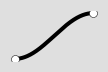
Dices
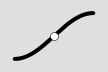
Flares
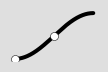
iFlares
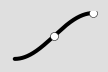
oFlares
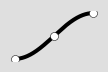
dFlares (Transformers)
Group 2

Ghost

Hold
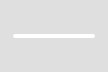
Ghost-Hold
Group 1 comprises 8 classes of elements that make a sound. These classes relate to each other in the following ways:
- Babies and Flares both have no clicks at their start and end points, but they differ in that only the Flares have clicks in between their start and end points (only one such click is shown here, but scratches of all Flare classes can have up to 9 clicks).
- Ins and iFlares both have a click at their start points and no click at their end points, but they differ in that only the iFlares have clicks in between their start and end points.
- Outs and oFlares both have a click at their end points and no click at their start points (opposite of Ins/iFlares!), but they differ in that only the iFlares have clicks in between their start and end points.
- Dices and dFlares both have clicks at their start AND end points, but they differ in that only the dFlares have clicks in between their start and end points.
-
Since dFlares are commonly referred to as Transformers, Scratchbook permits both names, but the grammar is slightly different. The equivalent of
df2istr3(nott2), because the numbers refer to different quantities. In all flare scratches, including dFlares, the number refers to the number of clicks while in transformers the number refers to the number of sounds.
Group 2 comprises 3 elements that do not make a sound:
-
The Ghost is used mainly in the
stabscratch, where it signifies the silent backward movement of the record after the fader has been closed. -
The Hold is used whenever the record is held still for a longer time period while the fader remains open. See for example the
slicecombo1. - The Ghost-Hold is used whenever the record is held still for a longer time period while the fader is closed.
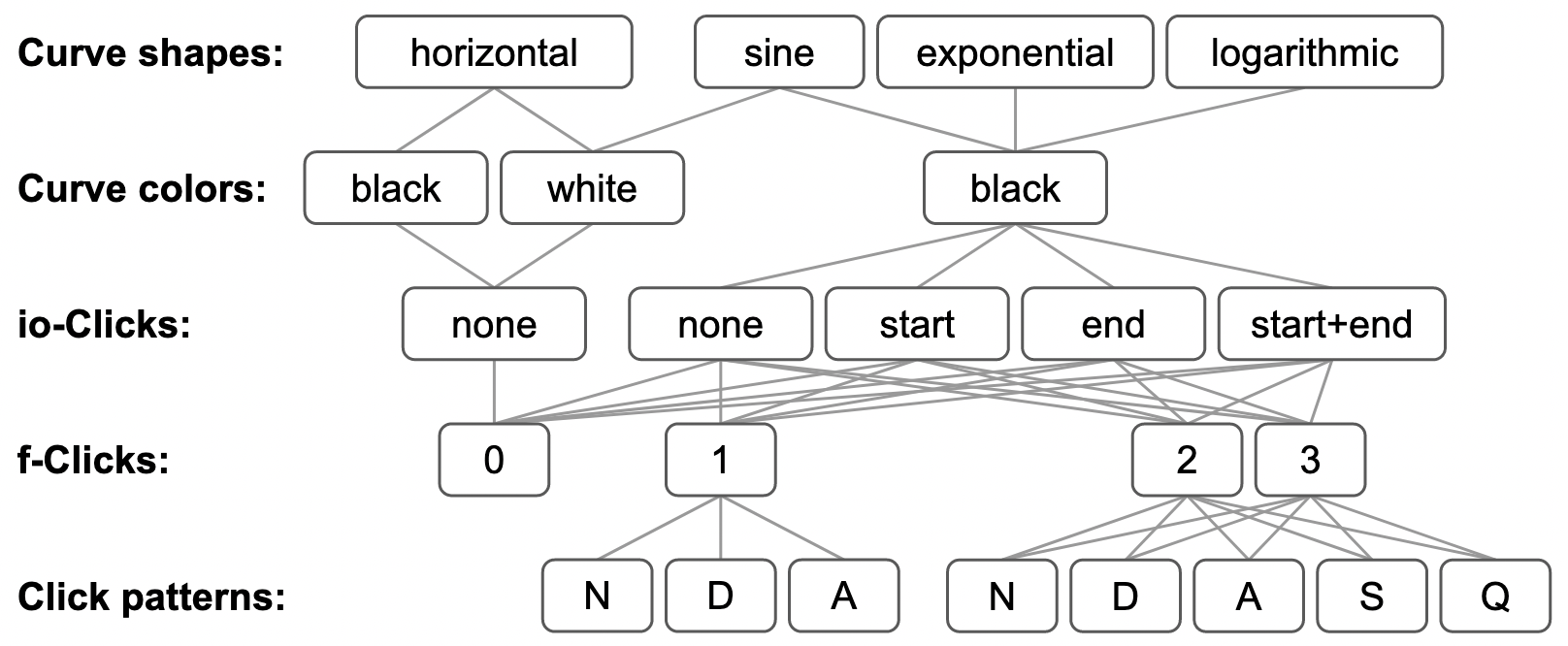
The total number of elements within and across all classes depends on the number of subatomic features and the rules of their combination. ScratchBook considers five classes of features:
- Curve shapes (horizontal, sine, exponential, logarithmic)
- Curve colors (black, white)
- io-Clicks (in/out-clicks), i.e. clicks at the start and/or at the end of a of a scratch (none, start, end, start+end).
- f-Clicks (flare-clicks), i.e. clicks somewhere in the middle of a scratch (0-9 clicks, but limited to 0-3 clicks in the element collection)
- Click patterns (normal, diminished, augmented, stretched, squeezed)
Not all of these features should be combined with each other. For example, since white curves always represents silent record movement, they should never have any clicks at all, and, to keep things simple, when they are not horizontal (1 Ghost-Hold), they should always be sine (1 Ghost). Also, click patterns only ever make sense when a scratch has at least one f-click, whereby stretched and squeezed patterns only make sense when at least two f-clicks are given.
The following example of a 3-click flare scratch gives an overview over the five available click patterns:
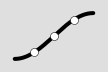
normal (f3)
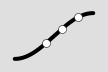
augmented (f3A)
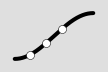
diminished (f3D)
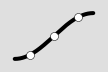
stretched (f3S)
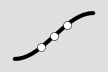
squeezed (f3Q)
The following table shows the distribution of subatomic features over ScratchBook's elements:
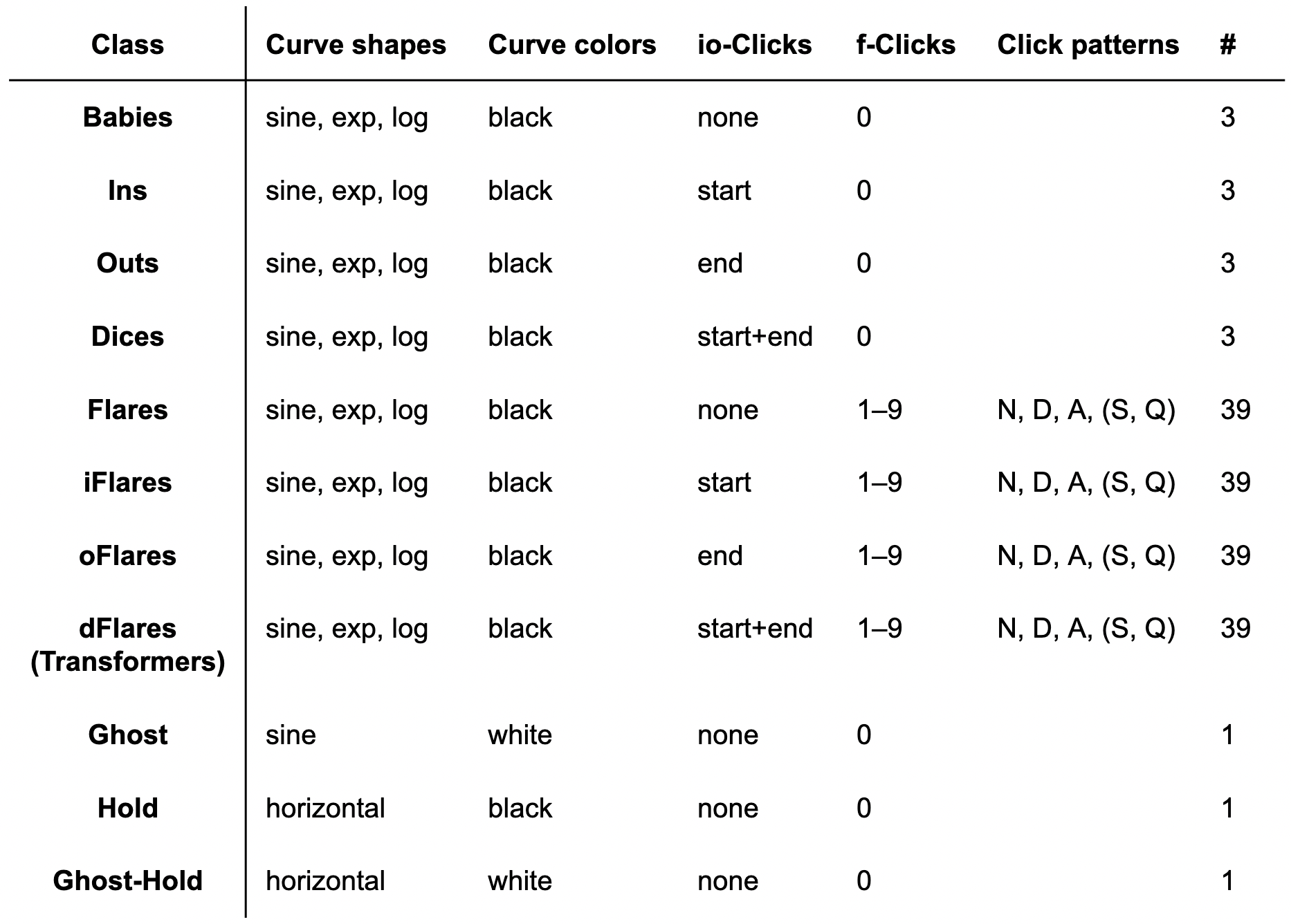
In order to keep the size of ScratchBook's elements collection reasonably small, the number of f-clicks is limited to 3 there, resulting in a total of 171 elements, computed by the following rules of combination: